URL:http://www.pocketmagic.net/?p=1819
Android API changes from a release to another and so happened to the contacts interface. Working with contacts seems at first a very difficult task, but with some practice and good tutorials the true potential of the new API becomes obvious. Still, as Google's Android is still young, issues are to be expected. This is why I've started this tutorial (and the few following parts), to clarify some of the more difficult aspects.
To exemplify adding a contact, I've created this simple interface with edittexts corresponding to the various contact information fields we need to add. The code also shows how to add a thumbnail image.
When the user presses the button we read the edittext fields, and get a byte array of the image we need to set (if you read the image from file, this is the entire file content, eg. a JPG file including everything in the file from the header to the last byte). Initializing a ContentProviderOperation object and setting the new contact type is next:
AndroidContacts-1
Android API changes from a release to another and so happened to the contacts interface. Working with contacts seems at first a very difficult task, but with some practice and good tutorials the true potential of the new API becomes obvious. Still, as Google's Android is still young, issues are to be expected. This is why I've started this tutorial (and the few following parts), to clarify some of the more difficult aspects.
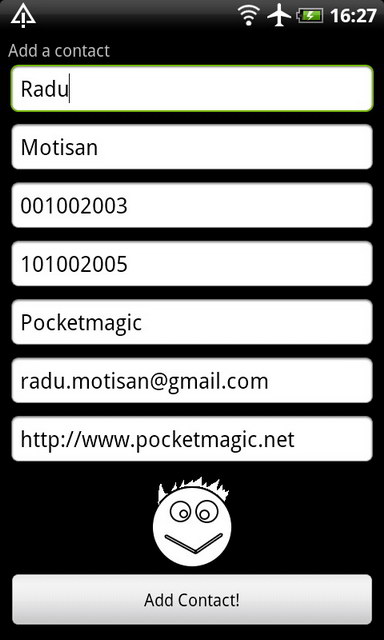 | 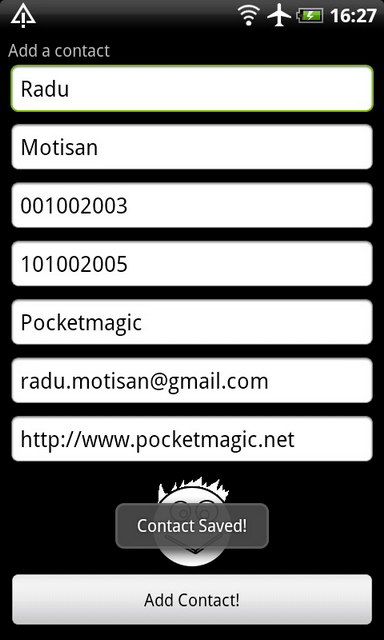 | 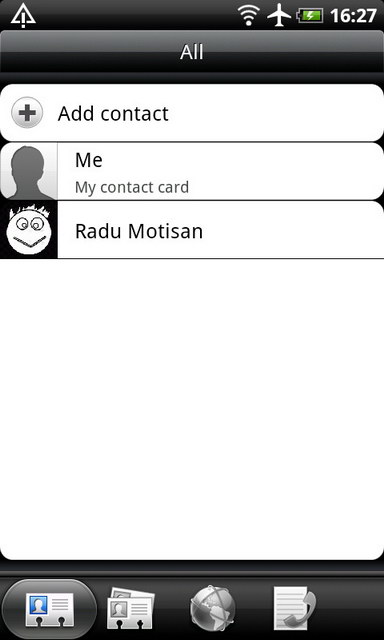 | 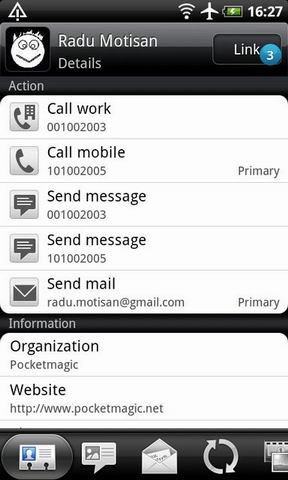 |
When the user presses the button we read the edittext fields, and get a byte array of the image we need to set (if you read the image from file, this is the entire file content, eg. a JPG file including everything in the file from the header to the last byte). Initializing a ContentProviderOperation object and setting the new contact type is next:
ArrayList<ContentProviderOperation> ops = new ArrayList<ContentProviderOperation>();
        int rawContactInsertIndex = ops.size();

        ops.add(ContentProviderOperation.newInsert(ContactsContract.RawContacts.CONTENT_URI)
                .withValue(RawContacts.ACCOUNT_TYPE, null)
                .withValue(RawContacts.ACCOUNT_NAME, null)
                .build());
Then I add the contact fields one by one:
 //INSERT NAME
        ops.add(ContentProviderOperation.newInsert(ContactsContract.Data.CONTENT_URI)
                .withValueBackReference(ContactsContract.Data.RAW_CONTACT_ID,rawContactInsertIndex)
                .withValue(ContactsContract.Data.MIMETYPE, ContactsContract.CommonDataKinds.StructuredName.CONTENT_ITEM_TYPE)
                .withValue(ContactsContract.CommonDataKinds.StructuredName.DISPLAY_NAME, szFullname) // Name of the person
                .withValue(ContactsContract.CommonDataKinds.StructuredName.FAMILY_NAME, szLastname) // Name of the person
                .withValue(ContactsContract.CommonDataKinds.StructuredName.GIVEN_NAME, szFirstname) // Name of the person
                .build());
Finally, adding the contact:
 ContentProviderResult[] res = getContentResolver().applyBatch(ContactsContract.AUTHORITY, ops);
            if (res!=null && res[0]!=null) {
             newContactUri = res[0].uri;
             //02-20 22:21:09 URI added contact:content://com.android.contacts/raw_contacts/612
             Log.d(LOG_TAG, "URI added contact:"+ newContactUri);
            }
            else Log.e(LOG_TAG, "Contact not added.");
At the end we can check if adding the contact was successful. To work with contacts, your application will need special permissions, so make sure you include them in your AndroidManifest.xml file:
 <uses-permission android:name="android.permission.READ_CONTACTS" />
 <uses-permission android:name="android.permission.WRITE_CONTACTS" />
The source code is available here:
AndroidContacts-1

No comments:
Post a Comment